BigCommerce

Brilliant Directories

How to Edit BigCommerce Themes: A Complete Guide for Beginners and Experts

BigCommerce Development 10 min read BigCommerce Development Every eCommerce owner hits a point where the default theme just doesn’t cut it anymore. Maybe your product pages look too generic, or your brand personality isn’t coming through in your site design. That’s where BigCommerce theme editing comes in. BigCommerce is a powerful SaaS platform that gives online store owners the tools to scale — and one of its strongest features is the ability to customize themes. Whether you’re tweaking colors or rewriting entire layouts, editing your BigCommerce theme can boost conversions, brand consistency, and mobile usability. This guide will walk you through everything from understanding how BigCommerce themes work to fixing common errors and following design best practices. If you’ve ever thought “How do I edit my BigCommerce theme without breaking it?”, you’re in the right place. Understanding BigCommerce Themes and Their Customization Themes are the visual and structural backbone of your BigCommerce store. They control how your homepage, product pages, cart, and other key elements appear to users. BigCommerce offers a range of professionally designed templates — but you’re not stuck with what you choose. Here’s how customization works: Theme Editor: Ideal for beginners. You can adjust fonts, colors, buttons, and layout sections visually, with no coding required. Page Builder: BigCommerce’s drag-and-drop content tool lets you customize pages on the fly, using widgets and pre-built blocks. Script Manager: For advanced users, this tool lets you insert custom JavaScript or tracking scripts on specific pages like checkout. Stencil Framework: If you’re ready to dive deep into theme files, BigCommerce’s Stencil CLI allows developers to work locally and push theme updates via GitHub or manual uploads. Example: A store selling wellness products used the Fortune theme but wanted a more calming, minimalist layout. By editing CSS and Page Builder blocks, they created a spa-like experience that doubled time-on-site in 60 days. Common Issues When Editing BigCommerce Themes 1. Layout Breaks After Script Changes Adding JavaScript through Script Manager can conflict with the Stencil structure or third-party apps, leading to visual glitches. 2. Inconsistent Display on Mobile vs. Desktop Changes that look great on desktop often don’t translate well to mobile, especially if you bypass the Page Builder’s responsive features. 3. Slow Page Speed After Customization Adding high-resolution images, unoptimized scripts, or too many widgets can drag your site down and hurt conversions. 4. Difficulty Customizing Checkout Pages BigCommerce limits checkout customizations for security reasons. Without using Script Manager correctly, most checkout edits won’t render.A fashion retailer tried injecting custom tracking scripts on the checkout page, but didn’t scope them properly in Script Manager. Result? A broken cart and a 25% dip in sales until it was fixed. Solutions to Fix BigCommerce Theme Problems The good news? Most of these issues can be solved without overhauling your entire store. Fixing Layout & Script Conflicts Use Script Manager under “Advanced Settings” to scope scripts only to the pages that need them. Test all scripts in staging before pushing to production. Stick with inline or asynchronous scripts for minimal conflicts. Optimizing for Mobile Use the Page Builder’s responsive columns to control mobile stacking. Test changes in real-time using Chrome DevTools (toggle to mobile view). Avoid hard-coded widths or fixed heights in CSS. Boosting Speed Compress all images before uploading (target under 200KB per image). Use lazy loading for images and defer non-critical scripts. Limit third-party widgets that call external JavaScript. Editing Checkout Pages Access Script Manager > “Add Script” > Location: Checkout Pages. Scope to “Footer” and add relevant tags (e.g., discount logic, tracking). Note: For major checkout changes, consider BigCommerce’s Open Checkout SDK. Best Practices for Customizing Your BigCommerce Theme If you’re investing time into customization, it pays to do it right. Here’s what works: Use the Page Builder for layout changesIt’s quicker, safer, and allows visual control without diving into code. Keep design consistent across pagesAlign your fonts, CTA styles, and spacing. Inconsistent design creates friction. Think mobile-firstOver 65% of eCommerce traffic is mobile. Preview every change in mobile view. Leverage theme backupsAlways duplicate your theme before editing — if something breaks, you can revert fast. Use descriptive names for custom scriptsThis helps you stay organized and debug faster later. Lean on templates when neededBigCommerce has ready-to-go templates that support different industries and conversion styles. Want help choosing the right template? Check out our BigCommerce theme setup services. Conclusion: Is Customizing Your BigCommerce Theme Right for Your Store? Editing your BigCommerce theme is one of the smartest ways to align your store’s look and functionality with your brand goals. From improving the shopping experience to boosting SEO and speed, customization gives you control. But it comes with a learning curve. If you’re willing to test, tweak, and learn, the results can be incredible. If you prefer to focus on strategy and let the experts handle the tech — that’s smart too. Either way, your theme shouldn’t be static. It should grow with your business. Need Help Editing Your BigCommerce Theme? Get Professional Assistance Today! If you’re running into issues or want to unlock your store’s full design potential, don’t go it alone. Our team specializes in custom BigCommerce development, theme editing, and performance tuning. Let’s chat about your goals Frequently Asked Questions About BigCommerce Theme Editing How do I edit my BigCommerce theme? Go to Storefront > My Themes > Customize. Use Page Builder for visual changes or Stencil CLI for advanced development. Can I edit the BigCommerce checkout page? Yes, but it’s limited. Use Script Manager or the Open Checkout SDK for more control. How can I change my theme for a multi-storefront setup? Each storefront can have its own theme. Go to “Storefronts” and assign a different theme to each. Is BigCommerce theme customization beginner-friendly? Absolutely. The Page Builder is intuitive and perfect for non-technical users. What if my theme isn’t displaying correctly? Clear cache, check mobile responsiveness, and test in multiple browsers. Also, review any recently added scripts. Can I add custom designs to my BigCommerce store? Yes. Through
Brilliant Directories

How to Set Up a BigCommerce B2B Store in Acumatica? A Step-by-Step Guide

BigCommerce Development 10 min read BigCommerce Development Running a B2B eCommerce store comes with enough challenges; manual data entry between platforms shouldn’t be one of them. If you’re using BigCommerce and still juggling inventory updates, pricing changes, and customer data across disconnected systems, it’s time to simplify. Connecting your BigCommerce store to Acumatica can save you hours of admin work, reduce costly errors, and give you real-time visibility into your operations. In this step-by-step guide, you’ll learn how to set up a BigCommerce B2B store in Acumatica, from installing the connector to syncing pricing, contacts, and sales orders. We’ll also cover common integration issues, how to avoid them, and tips for getting the most out of your ERP setup. Whether you’re upgrading your tech stack or just starting to scale, this guide will walk you through what matters: smoother workflows, fewer headaches, and better results. Overview of the Blog Information Section Key Points Topic How to Set Up B2B BigCommerce Store in Acumatica Integration Purpose Syncing BigCommerce Store with Cloud-Based ERP like Acumatica to manage orders, inventory, and to streamline customer data. Key Benefits -Real-time data synchronization -Reduced manual data entry -streamlined order processing -Enhanced customer experience –Improved efficiency Target Audience Businesses using BigCommerce and want to upgrade the ERP system for inventory, financial & CRM. Required Tools -Acumatica ERP -BigCommerce platform -BigComMerce Connectors for Acumatica -API Token from BigCommerce Step 1: Install Connector -Log into Acumatica -Navigate to the Marketplace -Search, Download, and install the BigCommerce Connector -Configure Connector Setting Step 2:Connect Platforms – Generate API Token in BigCommerce (Advanced Settings > API Accounts) – Copy and paste the token into Acumatica’s Integration Settings – Test the connection Step 3: Sync Price List & Contacts – Create and sync price lists in Acumatica – Ensure customer data is complete in Acumatica – Enable automatic syncing for consistency Step 4: Set Up Sales Order Mapping – Configure sales order mappings to transfer BigCommerce orders to Acumatica – Set up risk hold rules for credit limits & fraud prevention Common Issues & Fixes – Contacts not syncing: Ensure complete and matching customer records – API token errors: Verify and regenerate if needed – Data sync failures: Check connector settings Pro Tips – Contacts not syncing: Ensure complete and matching customer records – API token errors: Verify and regenerate if needed – Data sync failures: Check connector settings Why Should You Set Up a BigCommerce Store in Acumatica? BigCommerce is an e-commerce platform with more than 42,344 live stores in 2025. Its integration with Acumatica streamlines standard processes like custom pricing, bulk orders, and account management tools, making it a great tool for B2B BigCommerce stores. Gone are the days when you have to manage essential e-commerce elements like finance, data visibility, and project management on different platforms. Below are the entities that can be synchronized with BigCom and Acumatica Integration: Customer Price Classes Customer Information Customer Locations Stock Items Base Salary Price Price List Product Images Product Availability Sale Order Payments Information Shipment Details “In today’s fast-paced eCommerce world, seamless integration is the key to efficiency. Connecting BigCommerce with Acumatica enables businesses to focus on growth instead of operations.” Sajid Jamil CEO of Metaviz Acumatica is a modern solution for the problems and limitations of traditional ERP systems. These are some salient features of Acumatica: Aspects Details Product Accumenta ERP Deployment Cloud-based Key Features Management of Distribution, Finance (CRM), and Accounting, etc. Best Suited For SMEs seeking scalable & mobile accessibility, and Integration capabilities Benefits Customizable dashboard, real-time access to data, and mobile-friendly, etc. Acumatica is a cloud-based ERP system that streamlines the financials, inventory, and customer relations of your BigCommerce store. Integrate BigCommerce with Acumatica and enjoy smooth business operation and management with a high-tech backend of a modern ERP system. Why Set Up Your B2B BigCommerce Store in Acumatica? Acumatica is one of the leading ERP choices for many stores, especially big-commerce stores. Both provide comprehensible solutions to all the hurdles related to scalability, data, and operation-related issues. Streamline your entire BigCommerce business operation by integrating BigCommerce with Acumatica. Some benefits of integrating your B2B BigCommerce store with Acumatica: Reliable & Consistent Data: By syncing BogCommerce and Acumatica, businesses can eliminate the possibility of having outdated or incorrect information across platforms. Product details, prices, and customer information are all updated in real time. Smooth Order Processing: An order on your BigCommerce store automatically gets processed through Acumatica, saving time and cost. Better Customer Experience: With data syncing between both platforms, your B2B clients get the personalized pricing and order history they need. Save Time: Automating standard procedures saves your team time to focus on other important tasks. Why Set Up Your B2B BigCommerce Store in Acumatica? Acumatica Benefits for BigCommerce Stores Integration Build BigCommerce Storefront with Acumatica ERP Key Features Synchronization of products, orders., customers, and inventory levels between BogCommerce and Acumatica Benefits Streamlined operations, real-time data updates, reduced manual data entry, and improved order management Best Suited For SMEs seeking scalable & mobile accessibility, and Integration capabilities Benefits Customizable dashboard, real-time access to data, and mobile-friendly, etc. Step-by-Step Guide to Set Up BigCommerce B2B Store with Acumatica The setup of BigCommerce in Acumatica is not a complicated process. These are the main steps: Step 1: Install the BigCommerce Connector in Acumatica Ensure that the BigCommerce Connector is up and running in Acumatica. Remember, these two platforms can only communicate and share data and information if the BigCommerce Connector is installed correctly. First, you’ll need to get the BigCommerce Connector up and running in Acumatica. This connector is what links the two platforms and lets them communicate with each other. How to Install: Log Into Acumatica: Go to the Marketplace section once you’re logged into your Acumatica account. Locate the BigCommerce Connector: Find the BigCommerce connector in the marketplace. Start Downloading for Installation: Download and install the connector. Be mindful that the system requirements for running the software are fulfilled. Set It Up: After the successful installation of

Reliable & Ongoing BigCommerce Support

“We rely on Metaviz for all things BigCommerce: from updates to seasonal campaigns. They’re always on time, quick to respond, and proactive with suggestions. When we needed third-party app integrations, they handled them without fuss. It feels like having an in-house team who truly cares about our success. They’re our go-to BigCommerce experts, no question.”

Custom BigCommerce Design

“Our online store needed a modern redesign, and Metaviz nailed it. They customized our BigCommerce theme to match our brand perfectly. Not only does the site look better, but conversions are up noticeably. They also helped us streamline checkout and add upsell features. We’re getting more sales and better feedback from customers.”

Flawless Store Migration to BigCommerce

“Metaviz helped us migrate from Shopify to BigCommerce without a single hiccup. They handled every aspect, from product import to SEO redirects, flawlessly. We were up and running quickly, and our traffic didn’t drop at all. Their team was responsive, knowledgeable, and incredibly easy to work with. Highly impressed with the quality and speed of their service.”

English Tea Store

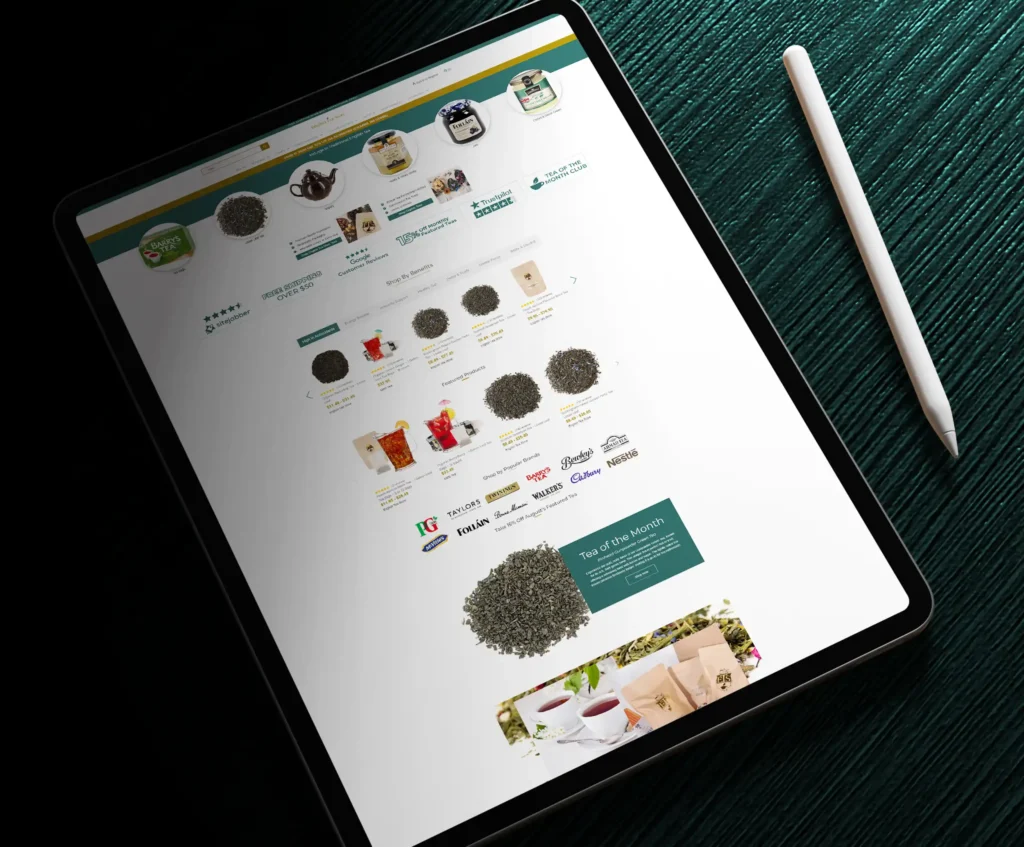
We successfully redesigned the English Tea Store website to provide a more elegant and intuitive shopping experience. The new site structure improves browsing of teas, accessories, and seasonal items while highlighting special promotions and detailed product descriptions. The design aligns with the brand’s heritage and passion for quality tea.

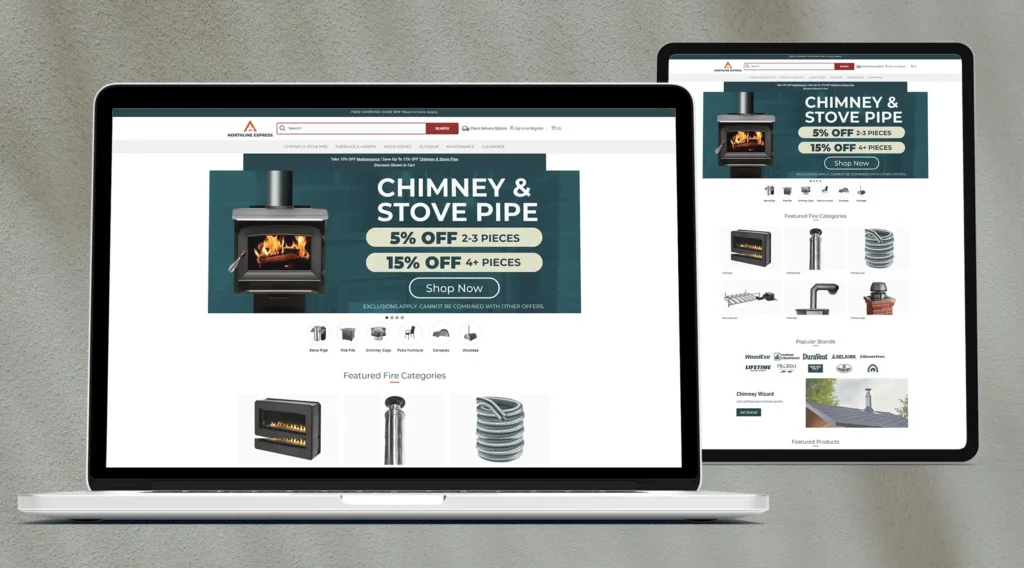
Northline Express

We proudly delivered a complete website redesign for Northline Express, a leading retailer of fireplace, chimney, and outdoor living products. The newly enhanced site features improved navigation, refined product categorization, and a smoother shopping experience tailored to homeowners and DIY enthusiasts.

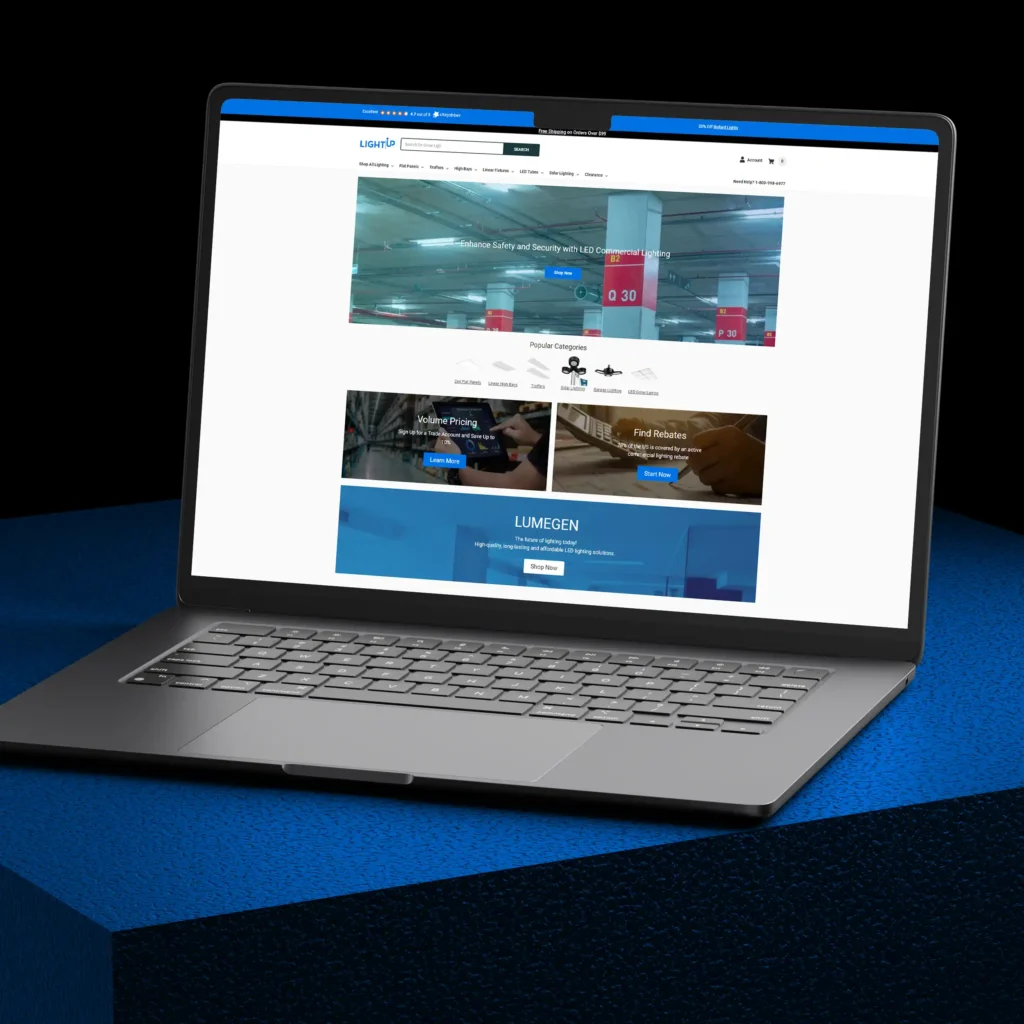
LightUp

We proudly completed a full redesign of the LightUp website, a leading provider of LED commercial lighting solutions. The newly optimized platform delivers a modern user experience, featuring streamlined navigation and expanded product categories such as Flat Panels, High Bays, Solar Lighting, and more.

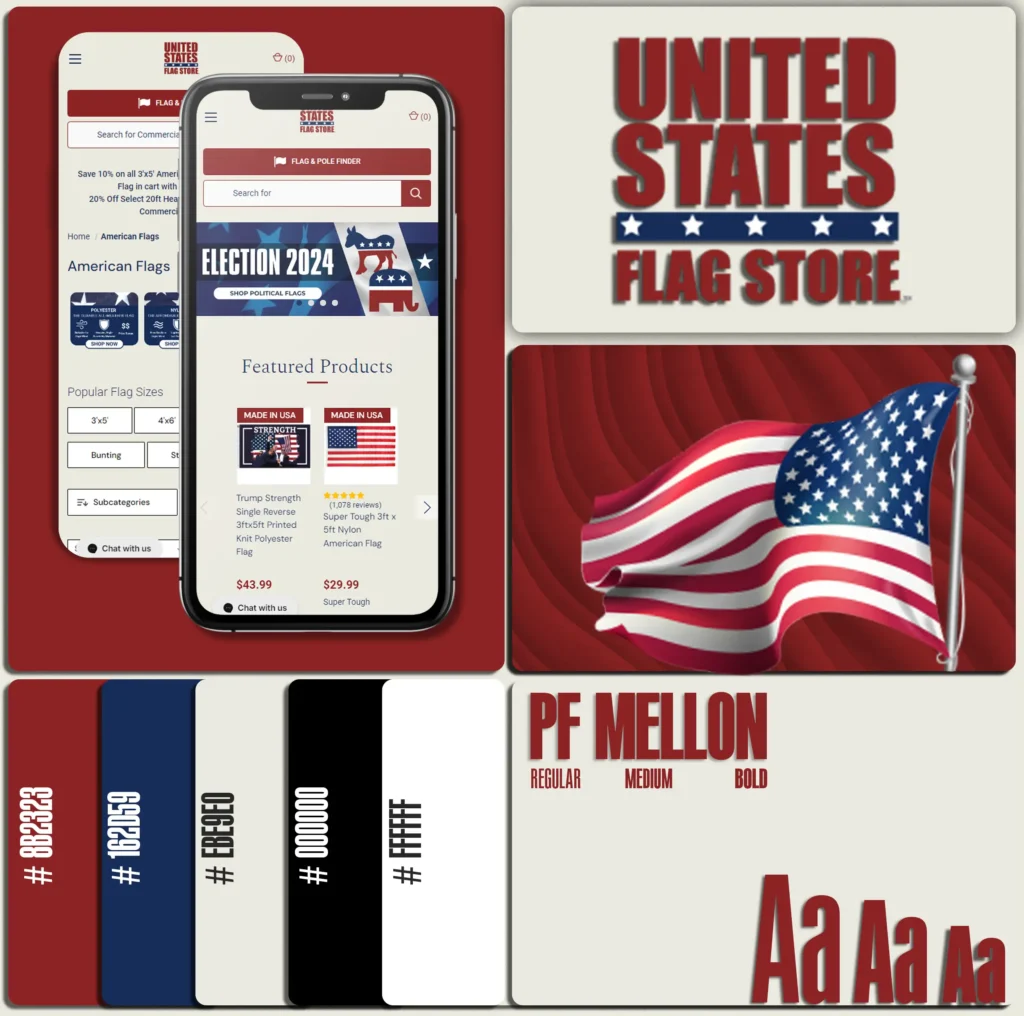
United States Flag Store

We proudly launched the newly redesigned United States Flag Store website—an established brand specializing in flags, flagpoles, and patriotic accessories. The new platform enhances the user experience with modern design, easier navigation, and improved customization tools for flag and pole selection.

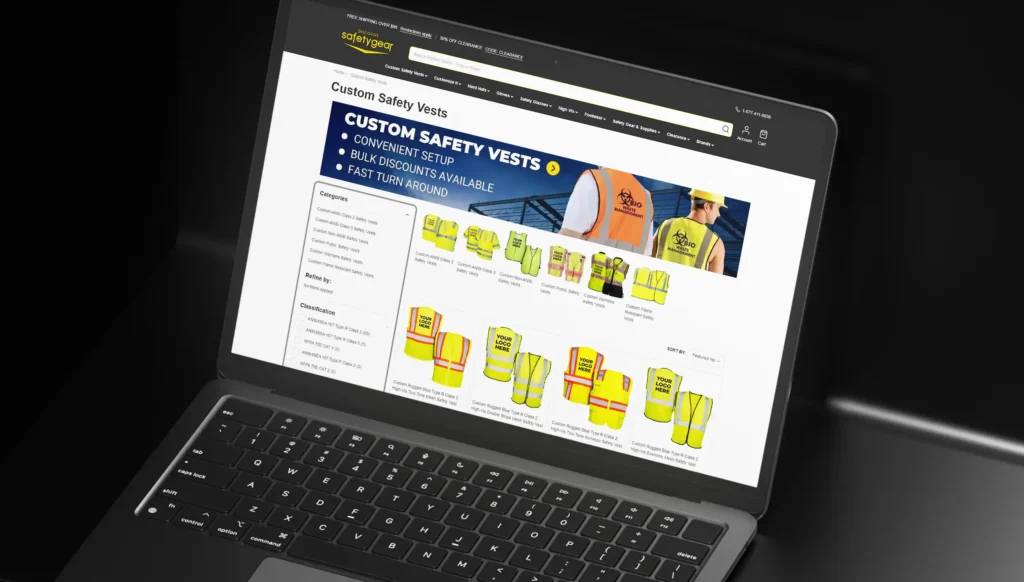
Discount Safety Gear

We successfully redesigned the website for Discount Safety Gear, a leading provider of personal protective equipment (PPE) and safety supplies. The updated site features improved navigation, streamlined customization tools, and an optimized shopping experience for both commercial buyers and individual customers.

Scroll to Top